Learn
Getting started & setup
Invite, first login, create Ambitio as your first venture, then walk the five-step trail — with a picture of each real screen.
The short version
Ambitio is invite-only. The screens below use Ambitio itself as the example — Diego Gallovich requesting a seat for an OKR agent. Request access on the waitlist. When you get an invite, open the link and sign up with the same email.
After login Diego picks I have an existing business (Ambitio already operates at useambitio.com). You can also pick a new idea or both. That choice is not asked again.
Chat to draft the venture. For Ambitio that is the name, the mission (OKR agent for founder-led teams), and the website. Confirm in the board. You land in Strategy next — Goals stay locked until that strategy is set.
The walkthrough below is the click-by-click path on the real product UI. Feature tutorials keep the same Ambitio story through Strategy, Goals & Targets, Action Plans, Reviews, and Team chat (Diego plus cofounder Maya Chen).
Walkthrough
Step 1
Get in with an invite
On the public site, open Request access (
/beta). Diego fills name, email, and what Ambitio is: an OKR agent for founder-led teams. Submit the form. When the invite arrives, open the link, create the account with the same email, then Log in. Password accounts must verify email before login works.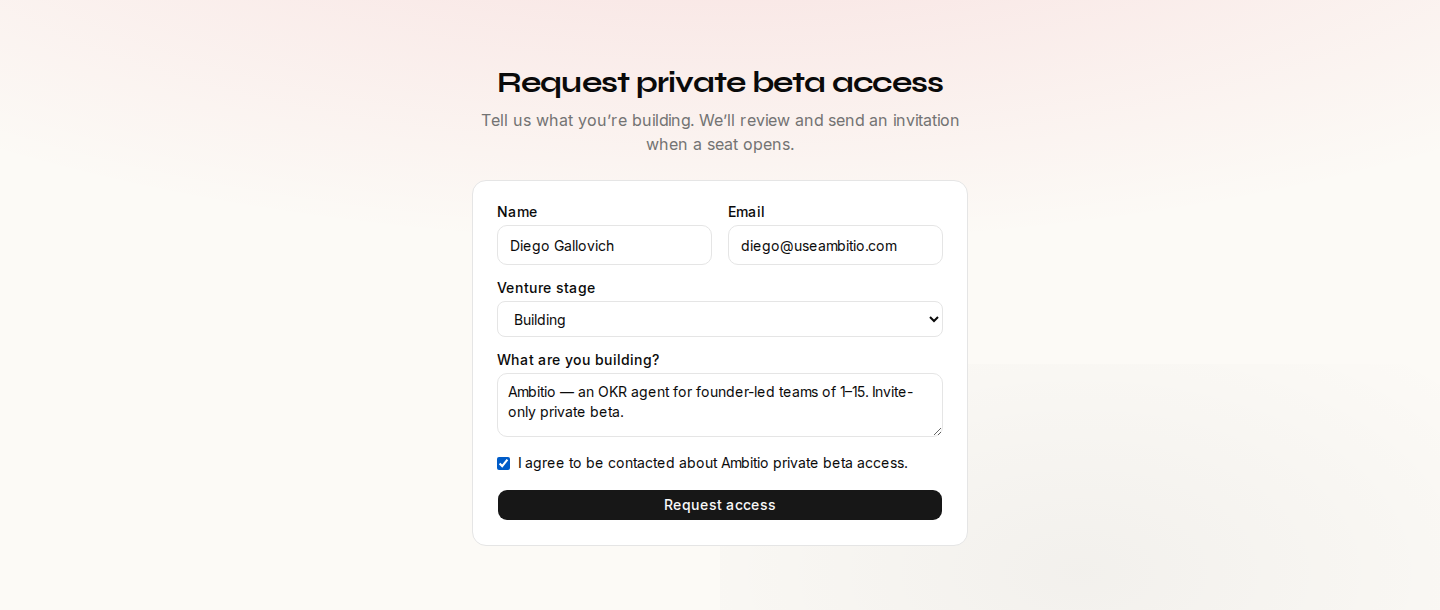
- Request private beta access — the public waitlist, not open signup.
- Name, email, and what you are building — Diego describes Ambitio.
- Request access — submit, then wait for the invite to the same email.
Step 2
Pick why you are here
Home greets Welcome, Diego and asks once: I have an existing business, I’m starting from scratch, or I have both. Ambitio already runs, so Diego picks existing. That choice seeds the Onboarding agent. It is not asked again.
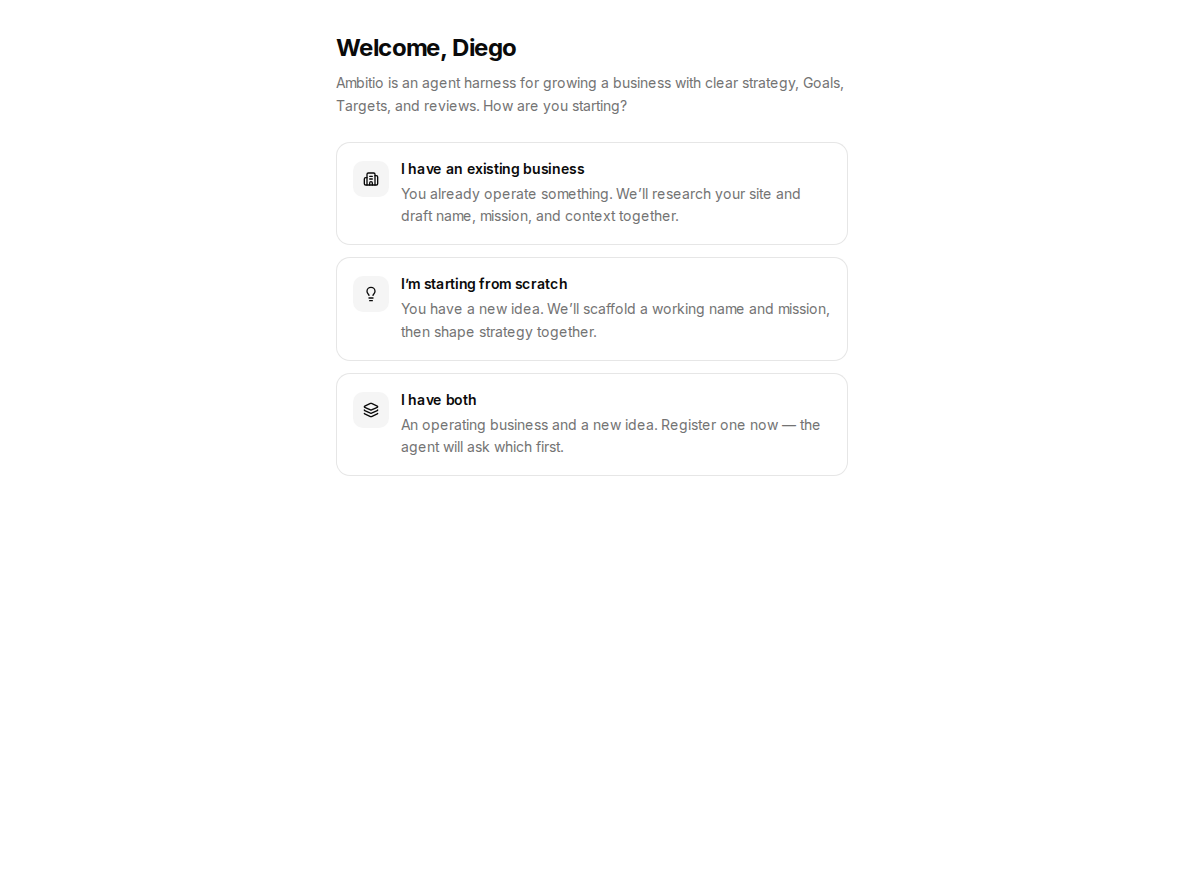
- Welcome, Diego — first Home after login.
- I have an existing business — Ambitio already operates.
- Starting from scratch / both — other first-venture paths.
Step 3
Draft the venture, then confirm
Chat with Onboarding on the left. The Venture profile on the right fills as Ambitio, the OKR-agent mission, and
https://useambitio.com. When the chips look ready, click Create venture, then confirm Create this venture? You land in Strategy — not Reviews, not Action Plans.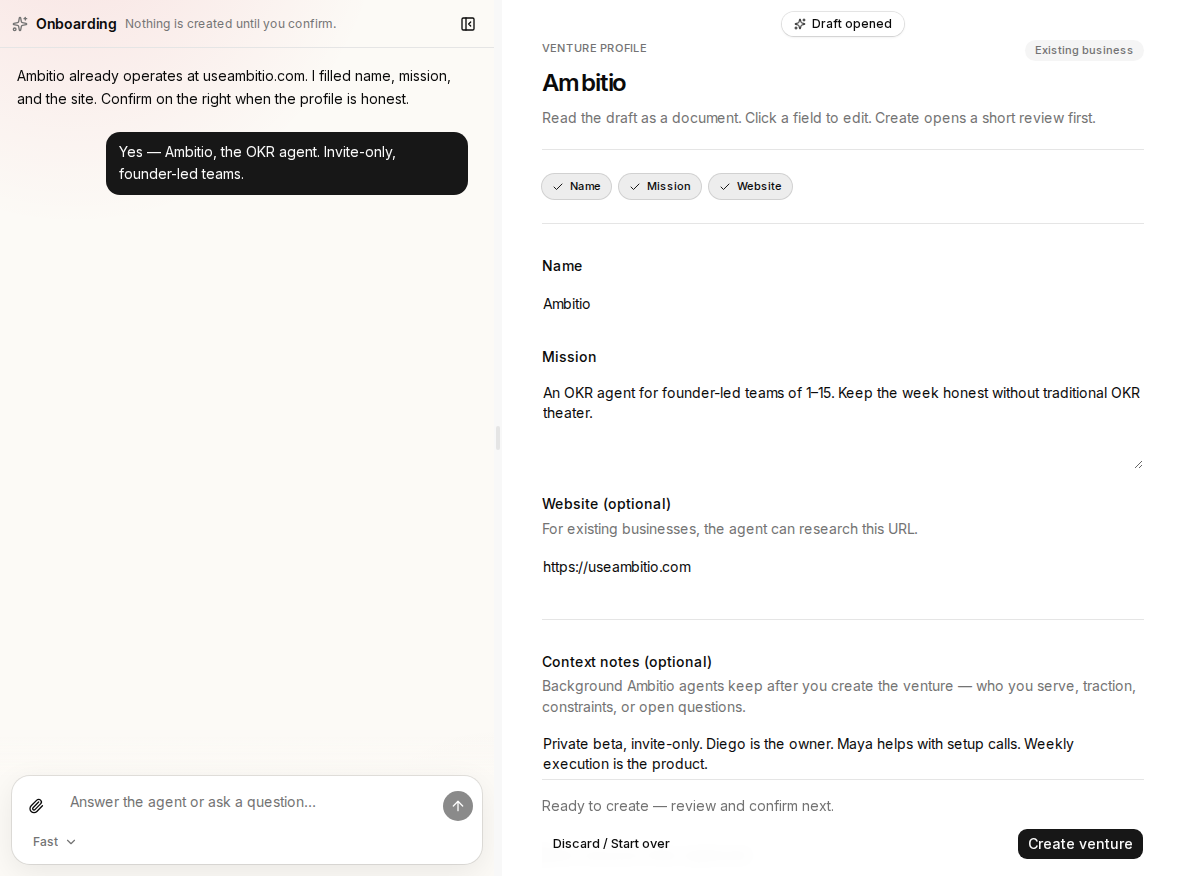
- Onboarding agent — talk here; do not re-type intent.
- Venture profile — Ambitio, the mission, and useambitio.com.
- Create venture — confirm in the dialog, not only in chat.
Step 4
Follow the five-step trail
After create, Ambitio’s chrome lists the path under the tabs: strategy → North Star goals → North Star targets → this quarter’s goals → this quarter’s targets. Diego is on Define strategy with the ten answers already drafted. A lock on Goals & Targets, Action Plans, or Reviews means an earlier step is missing.

- Strategy in the sidebar — you land here after confirm.
- Setup trail — Define strategy, then North Star and this quarter.
- Save strategy — next click once the ten answers are honest.
What unlocks
- 01Define strategyLock the four questions. Goals & Targets then open.
- 02Lock North Star goalsExactly three qualitative annual outcomes.
- 03Set North Star targetsThree to five numbers on each annual goal.
- 04Lock this quarter's goalsExactly three qualitative 90-day outcomes.
- 05Set this quarter's targetsReviews and Action Plans open after this.
Check your understanding
Check your understanding
01Can anyone create an account from the public site?
02After you confirm the venture draft, where do you land?